
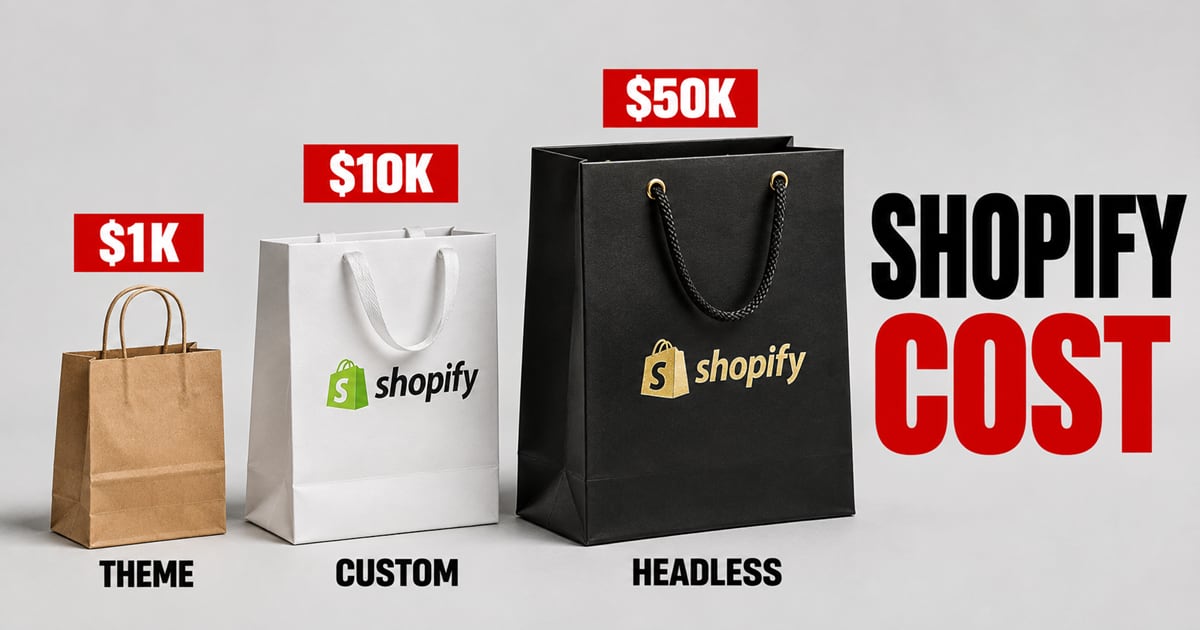
Below is the full breakdown: build options, monthly costs, and how to choose.
1. One-off build costs
| Build type | Typical cost | Timeline | Best for |
|---|---|---|---|
| DIY with a free or paid theme | $0 to $1,000 | 1 to 4 weeks | New brands testing a product |
| Agency-customised theme | $2,000 to $10,000 | 3 to 8 weeks | Growing brands that need a professional store fast |
| Custom Shopify theme | $10,000 to $30,000 | 6 to 12 weeks | Brands that want a unique design on standard Shopify |
| Headless Shopify (custom front end) | $20,000 to $100,000+ | 8 to 20 weeks | Brands where speed, design freedom and SEO control matter most |
2. Monthly running costs
| Cost | Typical range | Notes |
|---|---|---|
| Shopify plan | $29 to $299 / month on annual billing ($39 to $399 monthly) | Basic, Grow and Advanced plans. Shopify Plus starts at roughly $2,300 / month |
| Paid theme (one-off) | $0 to $400 | Free themes are fine for many stores |
| Apps | $0 to $500+ / month | Reviews, subscriptions, upsells, email. Apps add up fast; audit them every quarter |
| Payment fees | 2.5 to 2.9% + $0.30 per card sale (US, Shopify Payments) | Extra 0.6 to 2% if you use another payment provider |
| Domain | $10 to $20 / year | |
| Maintenance and updates | $100 to $1,500 / month | Optional, but most growing stores need someone on call |
3. Standard vs custom vs headless: what's the difference?
Standard (theme-based). You pick a theme from the Shopify Theme Store and adjust colours, fonts and sections. Fast and cheap, but your store will look like thousands of others, and heavy apps can slow it down.
Custom theme. A designer and developer build a theme just for your brand, still inside Shopify's normal system. You get a unique look and cleaner code, while keeping Shopify's checkout, apps and easy editing.
Headless. Shopify runs products, inventory and checkout behind the scenes, while a separate, custom-built front end (often Next.js, using the Shopify Storefront API) is what customers see. You get total design freedom and very fast pages, which helps SEO and conversion. The trade-off: it costs more to build, and some apps need custom work to connect. Here's how we build headless Shopify stores.
4. What pushes the price up
- Number of products and variants. 20 products is very different from 5,000.
- Custom features. Product builders, subscriptions, B2B pricing, multi-currency or multi-language.
- Design. Custom illustrations, 3D product views and animation take time.
- Migration. Moving from WooCommerce, Magento or another platform, with redirects so you don't lose Google rankings.
- Integrations. ERP, CRM, inventory, shipping and marketing tools.
- SEO setup. Clean URLs, structured data, fast loading and redirects. Cheap builds often skip this, and it costs more to fix later.
5. Which option should you choose?
- Under $50K a year in sales: start with a good theme. Spend your budget on products and marketing.
- $50K-$1M a year: an agency-customised or custom theme usually pays for itself through better conversion and brand trust.
- $1M+ a year, or speed and SEO are critical: consider headless. A faster store can lift conversion, and you gain full control over SEO and design.
6. How to avoid overpaying
- Ask for a fixed quote with a clear list of pages and features.
- Ask who owns the code, the theme and the Shopify account. It should be you.
- Check page speed on the agency's past builds using Google PageSpeed Insights.
- Keep apps to the ones you actually use. Every app adds cost and can slow the store.
- Ask how SEO is handled: redirects, structured data and image optimisation should be included, not add-ons.
Planning a Shopify store? Alphenex builds custom and headless Shopify stores for brands in the USA, UK and UAE, with SEO and speed built in from day one. See our custom Shopify service, or book a free 15-minute call for a clear quote.

 November 24, 2026Google Ads vs Meta Ads in 2027: Which Should Your Business Use?
 November 24, 2026How to Rank in ChatGPT in 2027: A 10-Step Checklist